MCP invoicing
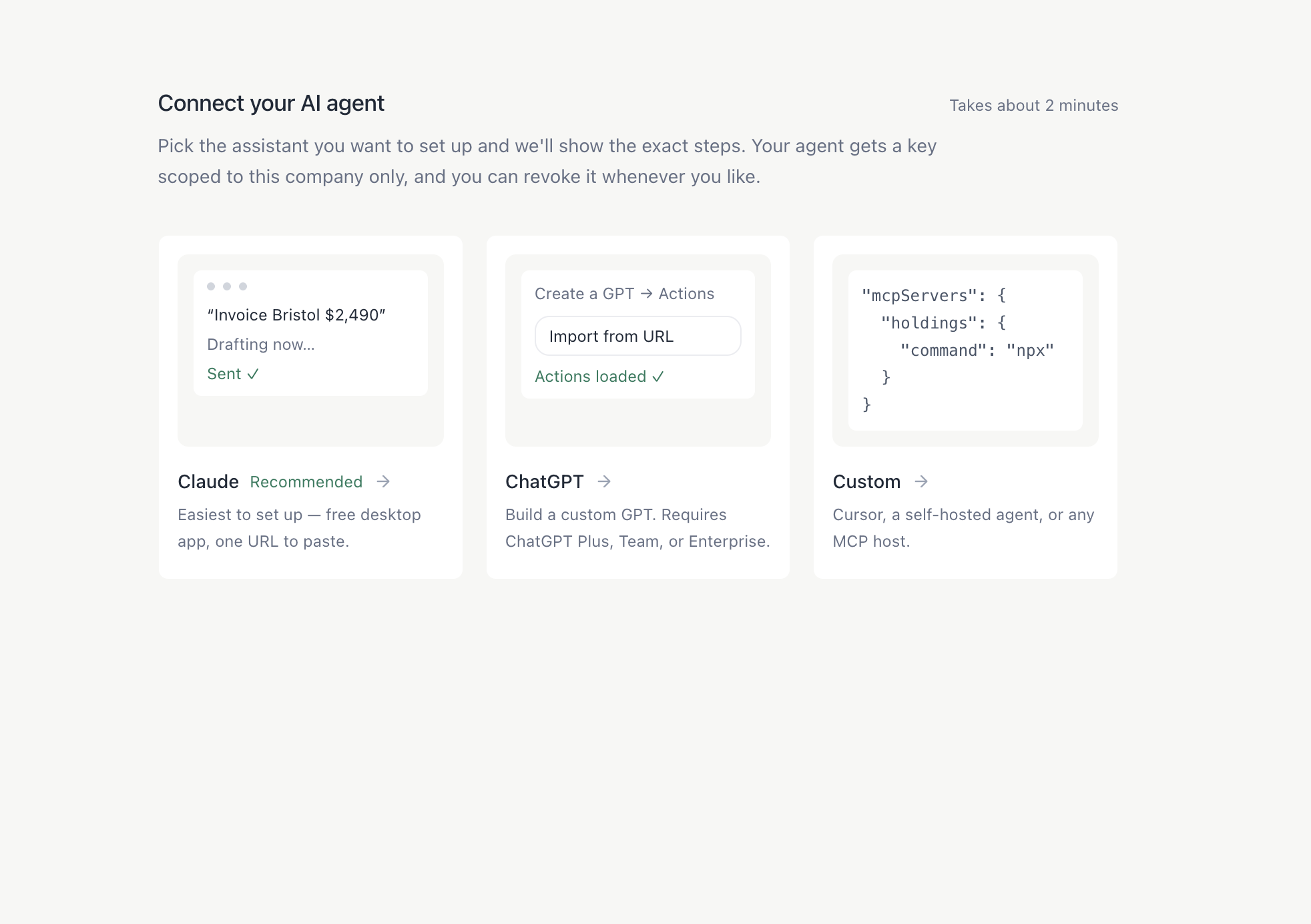
Connect your AI agent · the first step of setup
Problem
Once we entered invoicing, customers had the same two complaints: creating invoices still took too long, and following up on them was frustrating.
Discovery
5 customers interviewedWe spoke with five customers who invoice often. Sending, resending and tracking invoices was tedious, and nobody enjoyed it.
Everyone had a story of leaving money on the table because they couldn’t track an invoice down.
Sending, resending and following up was the part people wanted gone, not the invoice itself.
Competitive analysis
When we launched, there were no other MCP invoicing tools on the market.
Hypothesis
Customers already using agents will want to use them to send their invoices.
Solution
We built an MCP server that connects to any agent: Claude, ChatGPT or a custom one. Customers send invoices with a prompt.
Design
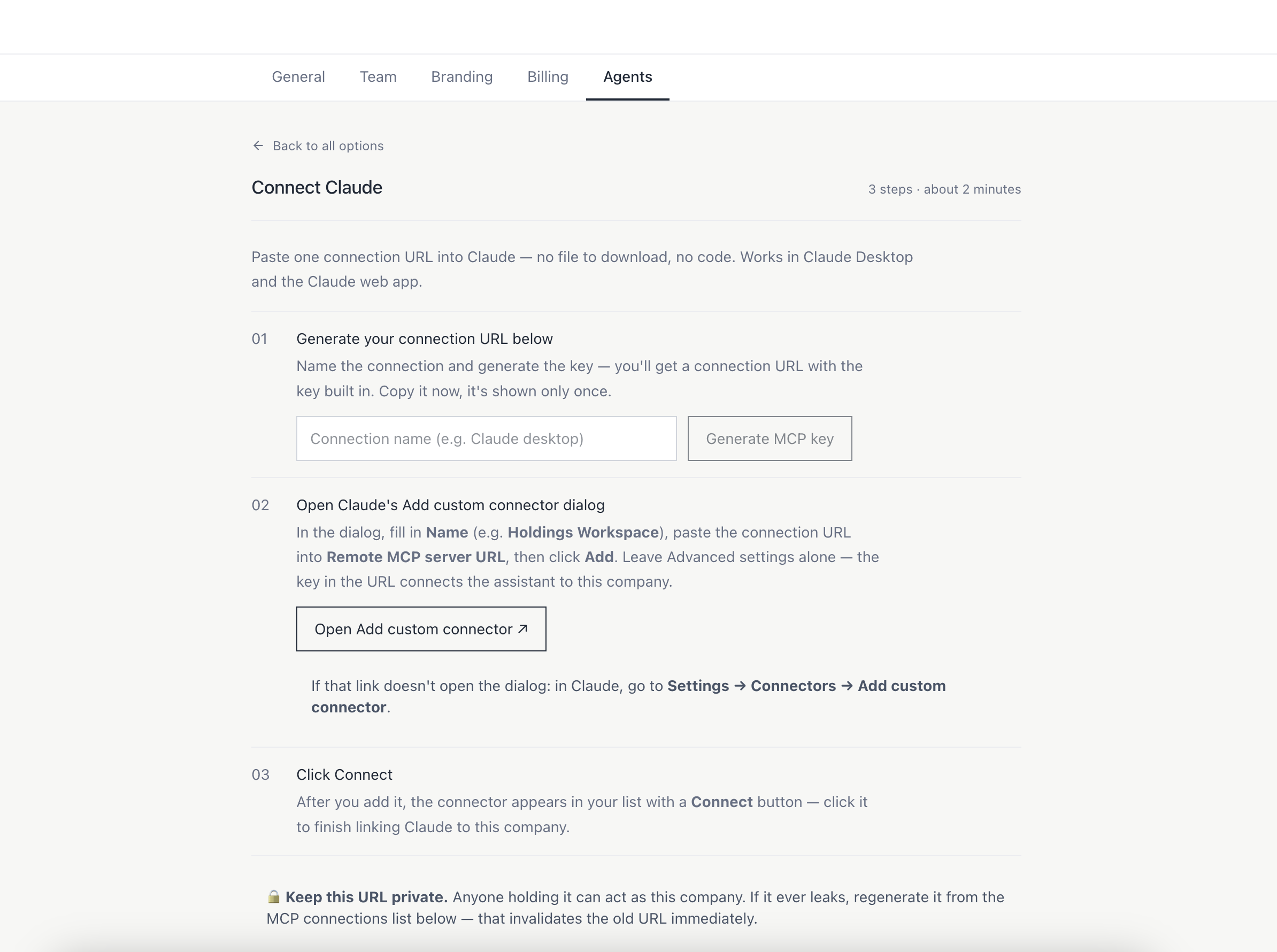
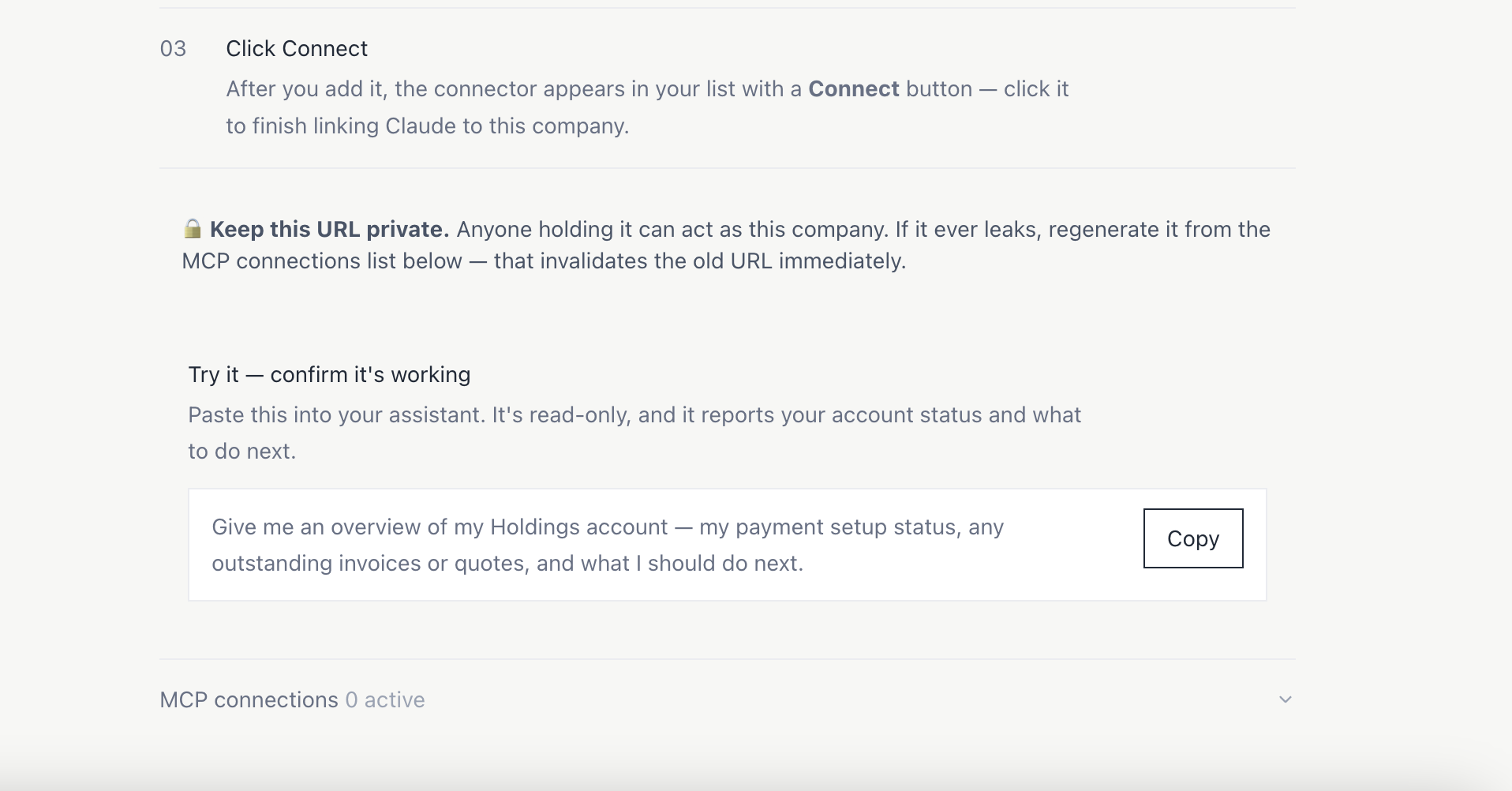
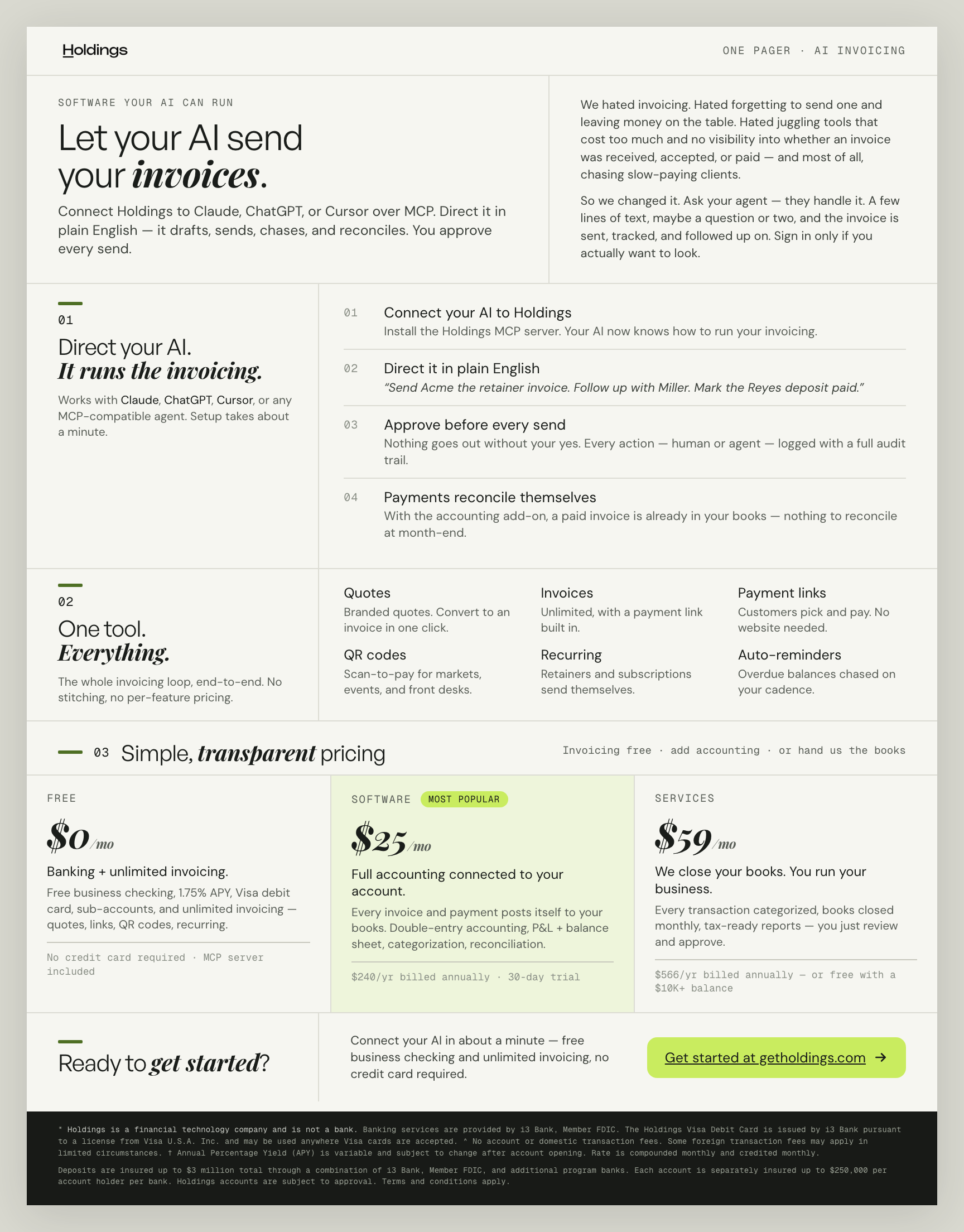
- 01ConnectGenerate a key in Holdings and paste the connection URL into your agent.
- 02Prompt“Send Acme the retainer invoice. Follow up with Miller.”
- 03Agent draftsThe agent calls the MCP server to build the invoice from your customers and items.
- 04You approveNothing goes out without your yes. Every action is logged.
- 05Sent and trackedHoldings sends it, tracks it and chases it; paid invoices post to your books.